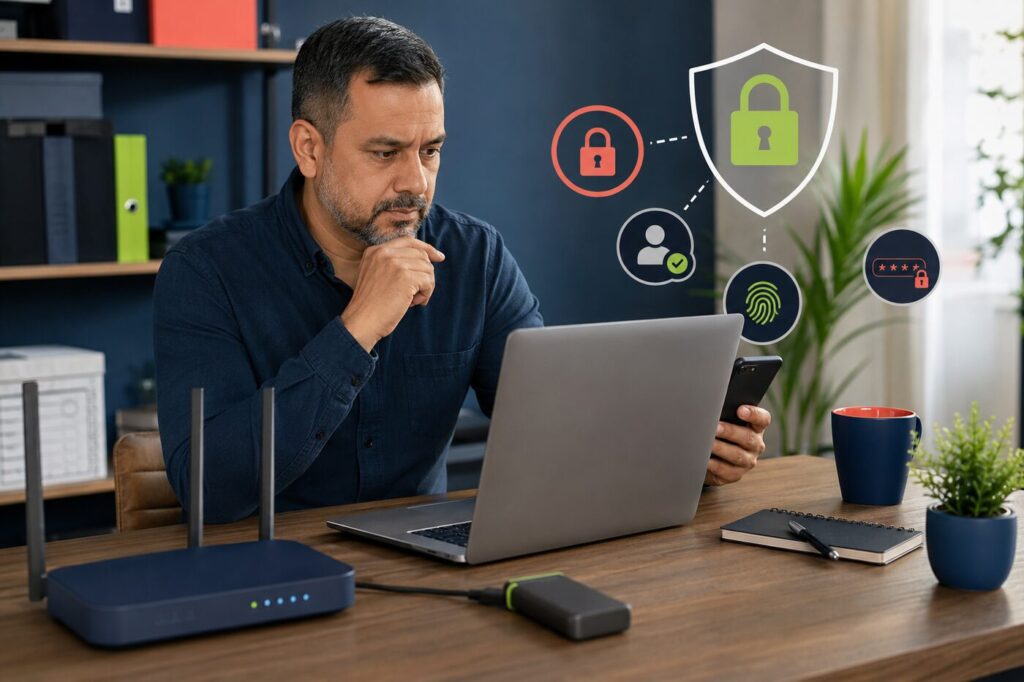
A small business cybersecurity checklist should focus on the risks that can stop operations, expose customer information or give an attacker control of important accounts. Most small businesses do not need an enterprise security department. They do need clear ownership, secure access, dependable backups and a plan for responding when something goes wrong.
The U.S. National Institute of Standards and Technology released a 2026 draft specifically designed to help very small and non-employer firms use the NIST Cybersecurity Framework 2.0. The Federal Trade Commission also recommends practical controls including multi-factor authentication, updates, limited access and security software. The checklist below turns those principles into an owner-friendly plan.
Small business cybersecurity checklist at a glance
| Priority | Action | Owner | Review frequency |
|---|---|---|---|
| Critical | Enable multi-factor authentication | Business owner or IT lead | Quarterly |
| Critical | Back up essential business data | Operations | Test monthly |
| Critical | Install security updates | Device owner or IT support | Weekly |
| High | Use a password manager | All users | Ongoing |
| High | Limit administrative access | Business owner | Quarterly |
| High | Train staff to identify scams | Manager | Quarterly |
| High | Review vendors and connected apps | Operations | Twice yearly |
| Critical | Create an incident response plan | Business owner | Test yearly |
1. Make an inventory of accounts, devices and data
You cannot protect systems you do not know exist. List every laptop, desktop, phone, tablet, Wi-Fi router, website, domain account, email account, payment service, cloud drive, CRM and social profile used for business.
Record who owns each account, who can access it and how the business would recover it. Include former systems that still contain customer information. This inventory should also identify the most important data, such as customer records, invoices, contracts, credentials and operational documents.
2. Turn on multi-factor authentication
Enable multi-factor authentication for business email, domain registration, website administration, banking, accounting, cloud storage, social profiles and any service holding customer data. Email deserves special attention because an attacker who controls it may be able to reset other accounts.
Authentication apps and hardware security keys are generally stronger than relying only on text messages. Keep recovery codes in a secure location that is separate from the main device.
3. Use unique passwords and a password manager
Every important account should have a unique password. Reusing one password means a breach at one service can expose several other systems. A business password manager can create and store long credentials while giving the owner a controlled way to share access.
Remove passwords from spreadsheets, notebooks, chat messages and browser profiles shared by several employees. When someone leaves the business, revoke their access instead of only changing the most obvious password.
4. Install updates promptly
Security updates repair known vulnerabilities in operating systems, browsers, plugins, apps and network devices. Turn on automatic updates where practical. Set a recurring check for systems that do not update automatically.
WordPress businesses should update core software, themes and plugins after confirming backups and compatibility. Remove inactive plugins and themes that are no longer required. Old software creates maintenance and security risk even when it is not visible to customers.
5. Protect laptops and mobile devices
- Use screen locks and device encryption.
- Install reputable security software where appropriate.
- Enable remote locate or wipe features.
- Separate business and personal user accounts.
- Avoid conducting sensitive work over unsecured public Wi-Fi.
- Do not leave devices unattended in vehicles or public areas.
Small businesses often focus on the office computer while ignoring phones. A phone may hold email, authentication codes, customer conversations and access to cloud tools, making it a high-value target.
6. Secure the business network
Change the router’s default administrator password and install current firmware. Use modern Wi-Fi encryption and create a separate guest network for customers, visitors and untrusted devices. Do not expose router administration to the public internet unless a qualified professional has configured it securely.
For remote work, define which devices can access business systems and how sensitive files should be handled. Avoid informal practices where every employee stores separate copies of customer data on personal devices.
7. Create backups that can survive an attack
A backup is useful only if it can be restored. Keep more than one copy of essential data, and ensure at least one copy is separated from the main network or protected from routine account access. Ransomware can damage connected backups as well as active files.
Test the restoration process every month for critical systems. Record how long recovery takes and which accounts, encryption keys or vendor contacts are required.
8. Limit access to sensitive information
Give each person the lowest access level required for their role. The person publishing a blog post may not need permission to install plugins. A contractor preparing graphics may not need access to customer records.
The FTC advises businesses to restrict sensitive information to people who need it. Review administrators, shared accounts, API connections and former staff at least every quarter.
9. Train staff around real attack methods
Security training should use examples employees may actually receive: fake invoices, urgent password-reset messages, altered payment instructions, delivery notices and requests that appear to come from the owner.
Create a simple rule for sensitive actions. A request to change bank details, buy gift cards, disclose credentials or send customer data should be verified through a second channel.
10. Review vendors and connected applications
A business can be exposed through a vendor that stores its data or connects to its accounts. List external bookkeepers, web developers, marketing agencies, payment providers and software integrations.
Ask what information they can access, how access is protected and how it will be removed when the relationship ends. Delete old API tokens and integrations that no longer serve a current purpose.
11. Prepare an incident response plan
The first hour of an incident is a poor time to decide who is responsible. Write down the people to contact, systems to isolate, evidence to preserve, customers or regulators who may need notification and the process for restoring operations.
The FTC’s data breach response guidance recommends acting quickly to secure systems and correct vulnerabilities. Keep printed or offline contact details because email or cloud access may be unavailable during an incident.
12. Protect the website and domain
- Use a unique administrator account for each person.
- Enable multi-factor authentication for hosting and domain accounts.
- Keep the registrant email current and protected.
- Back up the database and website files.
- Remove unused administrator accounts.
- Monitor unexpected changes, redirects and new users.
The domain registrar is especially important. If an attacker controls the domain, they may redirect the website or interfere with business email.
A simple cybersecurity schedule
Every week
Check updates, review security alerts and confirm that scheduled backups completed.
Every month
Test one restoration, review important account activity and check the website for unauthorized changes.
Every quarter
Review user access, multi-factor authentication, connected apps, staff training and the asset inventory.
Every year
Test the incident plan, review cyber-insurance needs, assess important vendors and update business-continuity procedures.
Official small business security resources
The 2026 NIST small-business cybersecurity draft is designed for very small organizations using Cybersecurity Framework 2.0. The FTC cybersecurity guidance for small businesses provides additional material on phishing, ransomware, vendor security and physical security.
Frequently asked questions
What is the most important cybersecurity step for a small business?
Protect business email and critical accounts with unique passwords and multi-factor authentication, then maintain tested backups. These controls reduce several common risks but should be supported by updates, access management and staff training.
Does a sole proprietor need a cybersecurity plan?
Yes. A sole proprietor may still hold customer information, receive payments and depend on email, a phone and cloud accounts. NIST’s 2026 draft specifically addresses non-employer firms and solopreneurs.
How often should backups be tested?
Test critical backups at least monthly and after major system changes. A completed backup notification does not prove the data can be restored.
Continue with our cybersecurity and privacy guides and the wider small business coverage.
About this article
Techy Chula Vista reviews material claims and updates published coverage when important facts change. Read our editorial policy.